Labs Texel Density
This tool is part of the FREE and open-source toolset in Houdini called SideFXLabs. This tool allows you to calculate the current texel density of an asset per primitive based on the asset and project resolution. It also allows you to automatically scale all UVs to comply with the settings of the tool. Ensuring correct texel density of an asset makes sure your scene has a uniform level of detail in the materials, and helps optimize a project by finding assets with textures that are too high resolution.
Texel Density is calculated as follows: Number of Pixels / Meter. So for example: 512px/100cm will produce a texel density of 5.12
For more information on SideFXLabs and how to get the tool visit: https://www.sidefx.com/products/sidefx-labs/
Geometry provided by Quixel Megascans.
Examples and illustrations created by https://www.artstation.com/mohamad_salame1
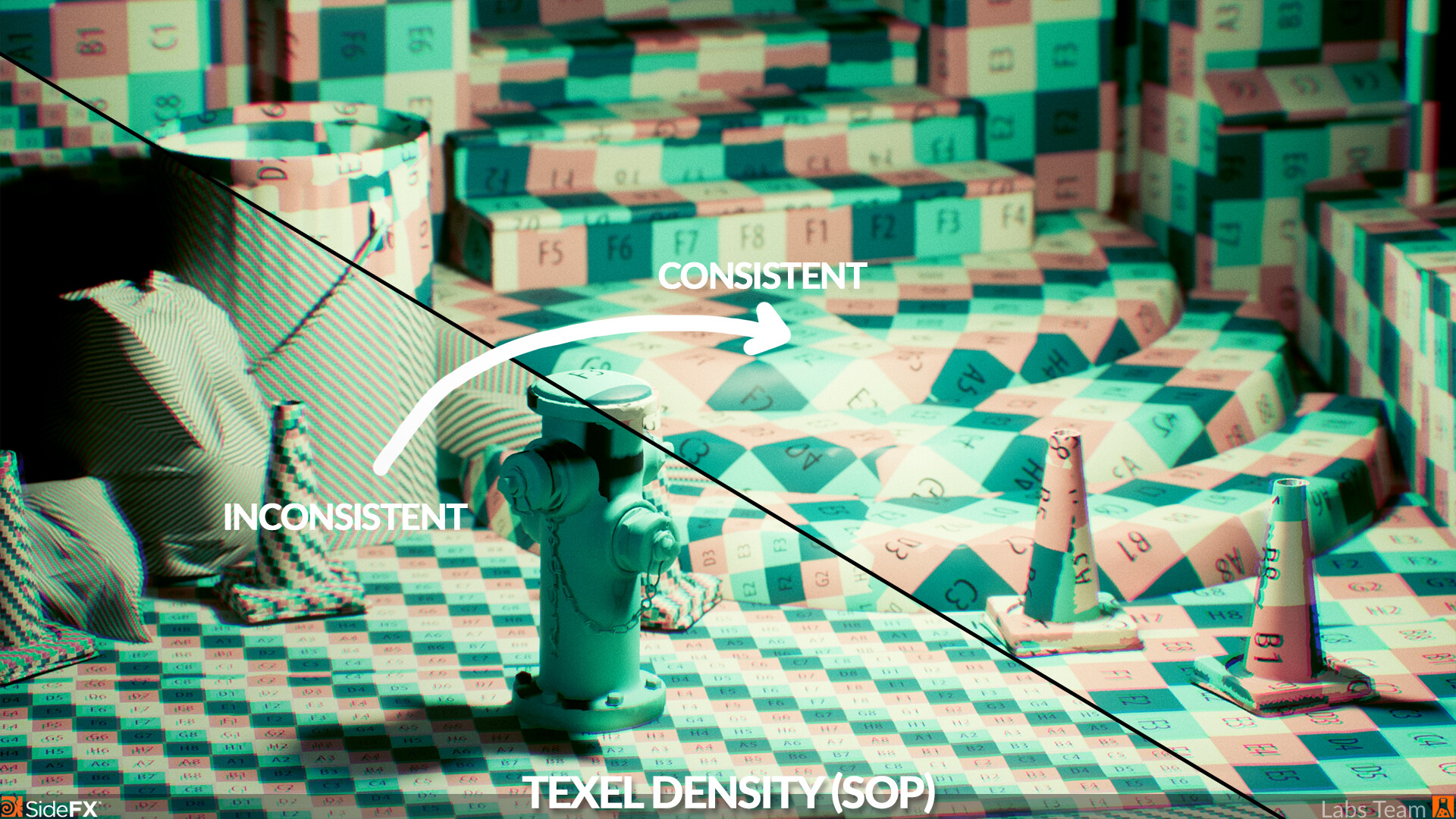
This image shows the difference between the original texel density, and the texel density after using the tool. Consistent texel density can help with a consistent level of detail in materials and look when used correctly.

The texel density tool also has the ability to visualize relative texel density based on desired settings. It does so through creating per-primitive attributes it visualizes, which can also be used to drive further processing.
An animated example showing the relation between object scale and texel density. When scaling an object, you should ideally also adjust the UVs accordingly to preserve relative detail to the rest of the scene.
Another example showing the texel density tool in action in SOPs.