Labs Trim Texture Tools
The Trim Texture Utility helps prepare trim texture geometry for a trim texture workflow. This tool is useful for both the automatic and the interactive Trim Textures tool. The Trim Texture and Automatic Trim Texture tools take in two inputs. The left (primary) input takes in the geometry you would like to Trim. It does not need UVs. The right (secondary) input takes in the Trim Texture that the geometry should be mapped to. This should be prepared using the Trim Texture Utility node.
———
For more information on SideFXLabs and how to get the tool visit: https://www.sidefx.com/products/sidefx-labs/
HIP File: https://github.com/sideeffects/SideFXLabsExamples/tree/main/artstation/trim_texture/trim_texture.zip
This post is prepared by Alecto Asperslag: https://www.artstation.com/alecto-marionette

The trim texture tools interactively or automatically unwraps geometry to fit a trim sheet.
An example of a trim sheet. A trim sheet is a texture made up of multiple tiling strips.
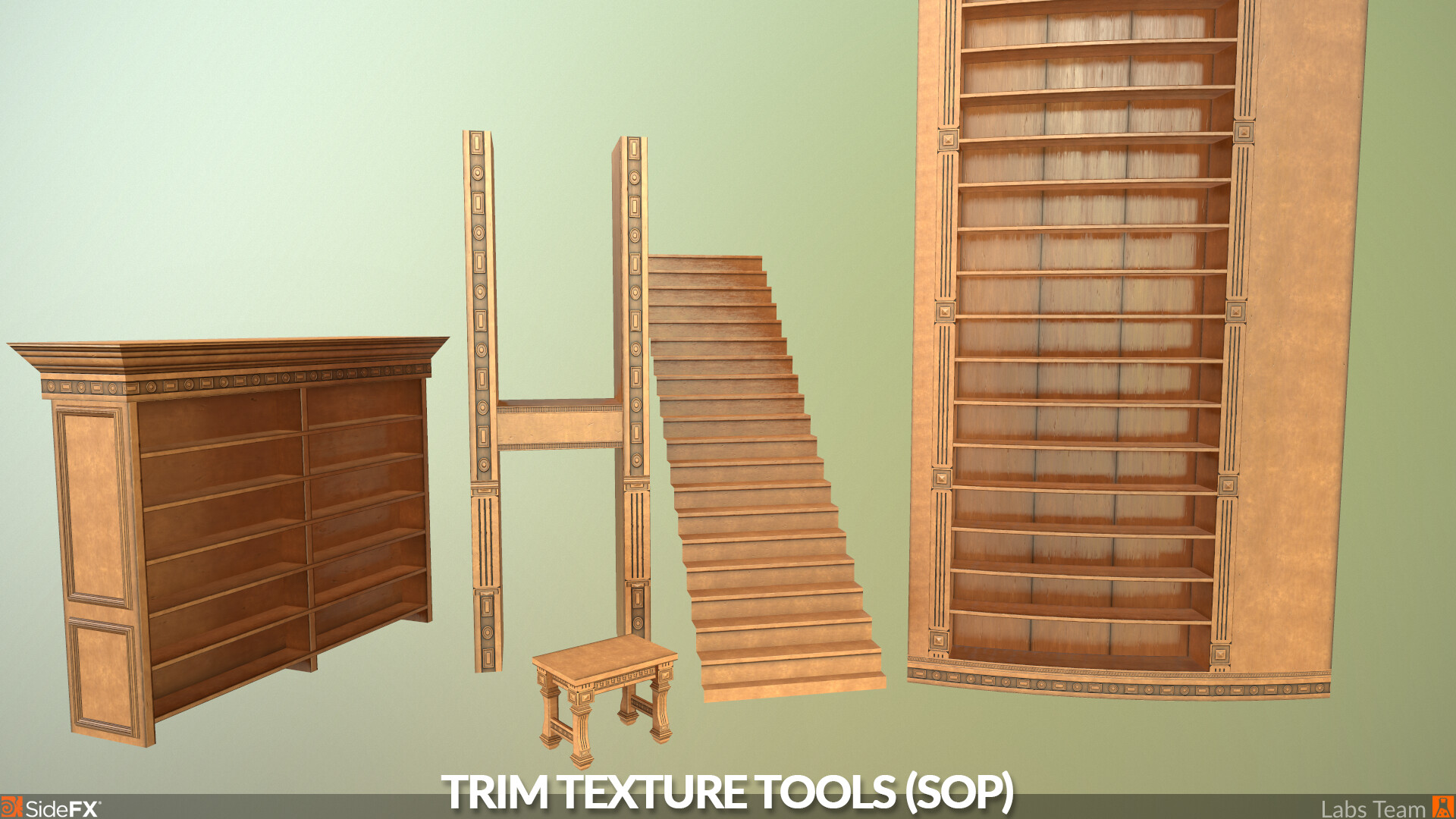
Trim sheet applied to multiple models using the Labs Trim Texture tools.
Use the Trim texture Utility to define trim strips for use with the Automatic and Interactive tools.
Interactively assign trim strips to geometry. Translate, rotate, or scale selections to adjust the fit.
The automatic tool will assign trim strips based on size and texel density. This can be useful for procedural workflows.